Skip to content

Create CSV files from PLC data of machines and plants
DataSuite 3

Create CSV files from PLC data of machines

Easily create a CSV file from machine data and load it into other programs, for example.

  • Create CSV files
  • Fully automatable
  • No software required apart from DataSuite 3
  • Local and without a cloud
  • Connect the PLC to DataSuite 3
  • Import variables
  • Configure the trigger and generate the CSV file
Preview image: Live explainer video – Creating a CSV file from machine data

Well-known companies at home and abroad use DataSuite 3 in the tough everyday industrial environment.

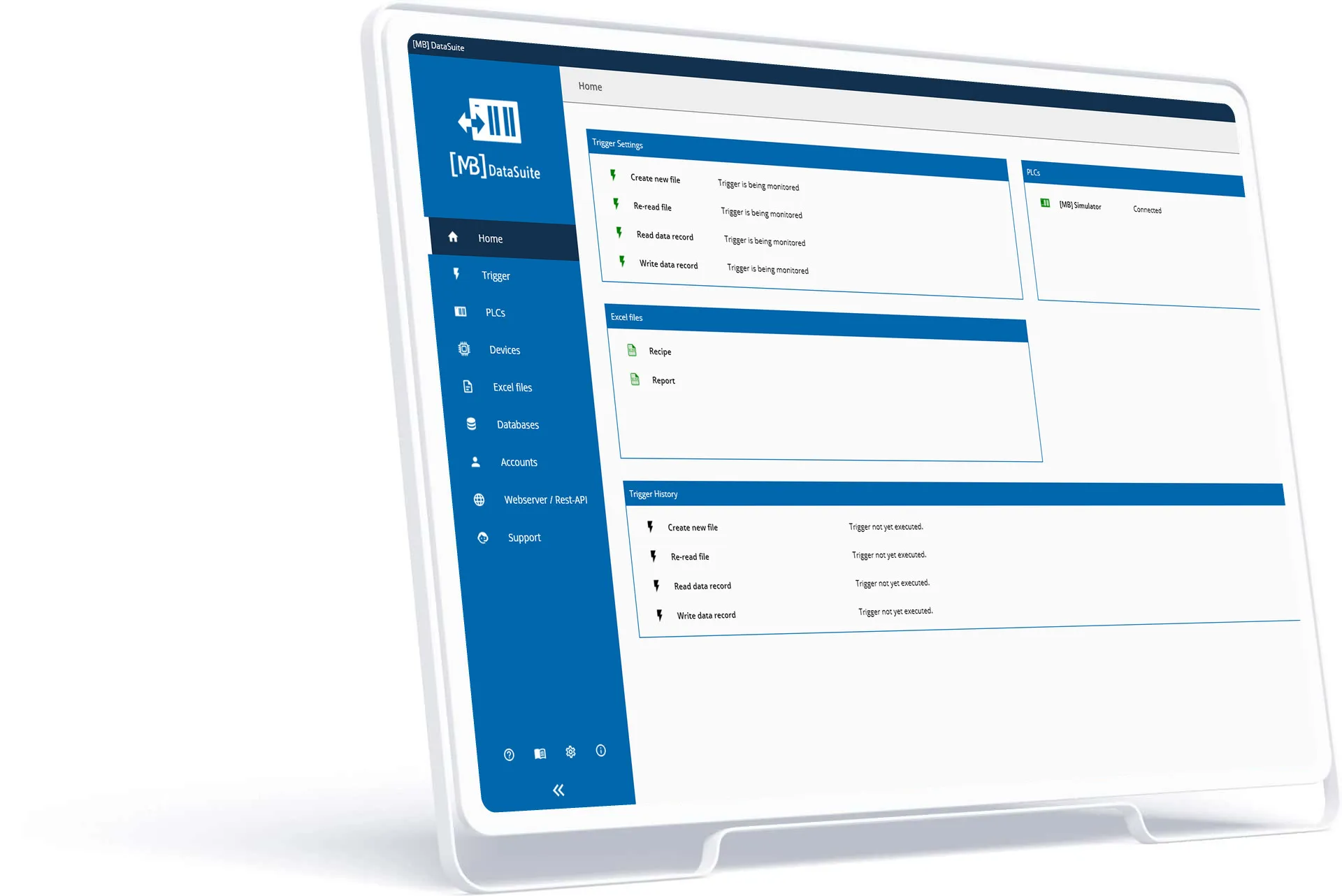
DataSuite home screen on a tablet: all machine data at a glance
DataSuite 3

Get the most out of your machine data

Expand your machines and systems with valuable and useful data applications:

  • Test reports and quality certificates (PDF, Excel)
  • ERP and database connections
  • Recipe management with Excel files
  • Monitoring performance and condition
  • OEE and other KPIs simply in Excel

ERP connection

You can use the CSV file to connect to your ERP system. You can also write CSV files from your ERP system to the PLC.

Graphic: Transferring machine data to the ERP system as a CSV file

Local, without a cloud

DataSuite 3 does not need an internet connection. You stay in full control, and both the data and the software remain local.

NoCloud

One program is enough

No Excel or other programs required. DataSuite 3 reads and writes files independently of other software.

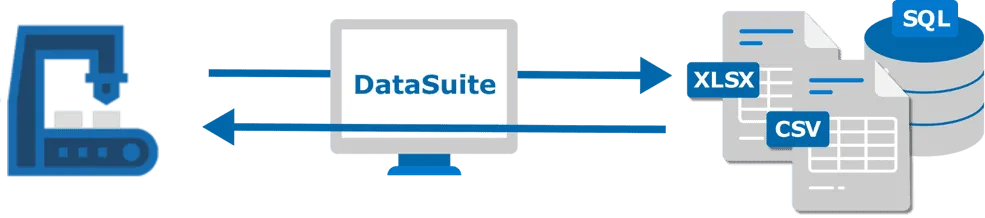
Graphic: DataSuite exchanges data between the machine and XLSX, CSV and SQL files in both directions

Download trial software

Test all functions free of charge for 30 days. You will receive an email with a download link for instant use.

Monitor showing “Download DataSuite 3”

Our guarantees

  • Free updates

We keep at it and regularly provide free updates for download. We are also happy to incorporate your wishes and suggestions into our development.

  • Industrial-grade software

DataSuite 2 has already proven itself in tough industrial use. DataSuite 3 takes it to the next level!

  • Maximum independence

You do not need any additional software to use our DataSuite 3, neither WinCC nor Excel. This saves money and you remain independent.

  • Made in Germany

Our software is completely developed in Rhineland-Palatinate, in the beautiful Westerwald, and used worldwide.

  • No subscription trap

You buy the software once and get all updates included. This means that everything is always cost-transparent.

  • Minimum system requirements

DualCore CPU, 8 GB RAM, Windows Server or Windows 10/11.

  • First-class support

Do you have a question? Do not hesitate to call us or write us an email. Our support will help you the next day at the latest.

  • Fair and respectful

Whether you contact us for technical support or a commercial concern: We are respectful and fair in our dealings with you.

DataSuite 3 is the ideal software solution for automating data acquisition processes directly from the machine control system. With this powerful application, you can capture machine data in real time and export it automatically as a CSV file. This enables seamless integration with your ERP system and considerably simplifies further processing of the data.

DataSuite 3 not only creates CSV files from machine data, but also reads CSV files from your ERP system and writes their values to the PLC. This lets the machine and the ERP system exchange data in both directions – locally and without additional software.