Excel file vs database – when to use which?
When should I store my machine data in Excel, and when is an SQL database the better choice?
5 good reasons for Excel files
Small to medium amounts of data
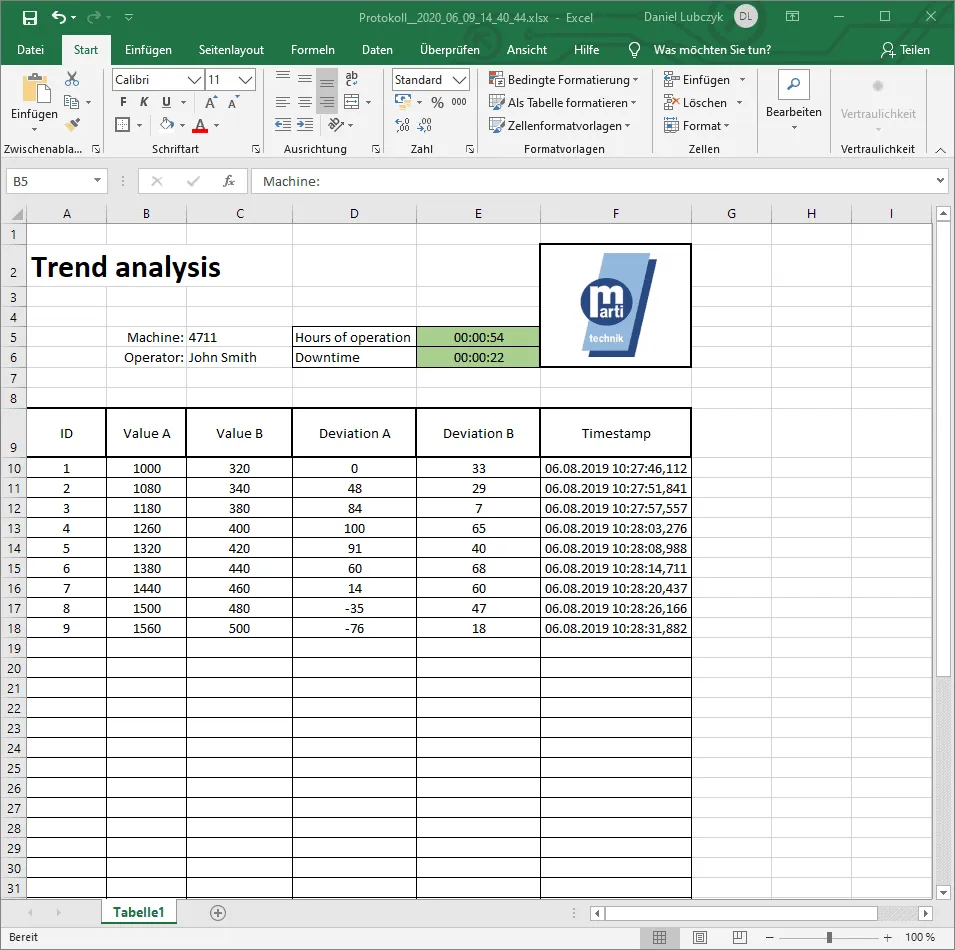
Excel is ideal for processing and analysing small to medium amounts of data. It performs very well with data organised in tables with a few thousand rows and columns. If you only have a limited number of records, Excel is easy to use and quick to set up.
Simple analyses or reports
Excel makes it easy to create charts and reports. With functions such as “Quick Analysis”, you can create charts at the touch of a button (e.g. F11 for charts). The wide range of chart options makes it easy to present and interpret data visually.
Low budget
Excel is a cost-effective solution and is often already part of the Microsoft Office package used in many companies. It requires no additional investment in special software or hardware, which makes it a budget-friendly option.
Simplicity
Excel is beginner-friendly and requires no special knowledge for simple tasks. The intuitive user interface and the extensive online documentation make it easily accessible to users of all levels of experience.
Flexibility
Excel offers a wide range of functions that can be used quickly, easily and in many different ways. With custom adjustments and macros, you can meet specific requirements and create tailor-made solutions. The integrated functions for charts and graphics enable fast and efficient data visualisation.
5 good reasons for databases
Large amounts of data
Databases are efficient at storing and processing large numbers of records. They can handle large volumes of data without any loss of performance. This makes them ideal for applications that require extensive data analysis.
Complex relationships
With databases, complex data structures can be mapped and managed.
Security features
Databases offer advanced security features, including user authentication and access controls. This ensures that only authorised users can access the data and make changes. These security measures are essential for protecting sensitive company data.
Multi-user access
Databases allow several users to access the data at the same time. This is particularly important in collaborative environments where many users need to enter or retrieve data simultaneously without conflicts or inconsistencies.
Integration
Databases can easily be used for exchanging data with other systems, e.g. to load ERP data into a machine control system.
Which database is right for me?
You have decided on a database but are not sure which one is right for you?
We have written a blog post comparing the 4 databases supported by DataSuite.