How to use OPC-UA with a Windows client
In this article we will show you how OPC-UA works and how you can use it easily.

OPC-UA is now the internationally established industry standard for data exchange. This allows data from machines to be transferred and made usable.
What is OPC-UA?
As industry grows and becomes more digital, more and more data must be exchanged between machines and plants. Hardware and software must therefore work more closely together in order to be able to directly monitor industrial plants.
OPC-UA is an industrial protocol, the name stands for Open Platform Communications. The first version appeared in the autumn of 2006 and has been constantly updated and expanded since then. The UA stands for Unified Architecture, which is the latest specification of OPC.
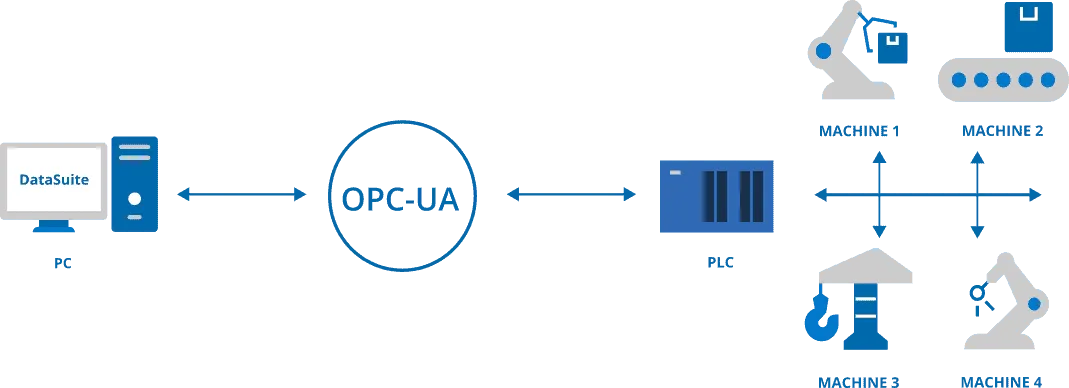
When networking machines and industrial plants, problems can always occur, for example due to different and incompatible interfaces of the machines. Many manufacturers and software providers use their own, so-called “proprietary” protocols. The result: no or only limited compatibility, security risks and high follow-up costs.
OPC-UA finally puts an end to this. Thanks to the industry standard, it is possible to use machine data consistently, securely and without disruptions. It is therefore a standard for communication among machines, but also between machines and PCs or servers. The industry standard connects production with the IT world. Databases, ERP systems and other IT systems can finally be connected securely and easily.
Why OPC-UA?
The industrial protocol has thus established itself on a broad front: many well-known companies use the data standard. But what is so good about it?
As you can see, the communication protocol offers useful features to make better and more secure use of machine data. But what data is actually in the control system of a machine? Typically, this valuable data can be found in machines and plants:
Note: OPC-UA is not the only way to use machine data. In the article “PLC-PC data exchange: Without OPC server?” we have compared the industry standard with an alternative.
What do I need to be able to use OPC-UA?
The basic requirement for use is a network based on the Internet Protocol (IP). This is the case with the usual Ethernet technology and thus also Profinet. In addition, of course, you need a machine or plant with a programmable logic controller (PLC).
All modern Siemens S7 controllers support the architecture, but which controllers can you use? We recommend a Siemens S7-1500, alternatively you can use an S7-1200 (with limitations) or an ET 200. More about this further down in the article.
The communication is based on the client-server principle. With an installed OPC client a connection to an OPC server can be established. In this example we use the DataSuite software on a PC as OPC-UA client. The PLC acts as OPC-UA server.
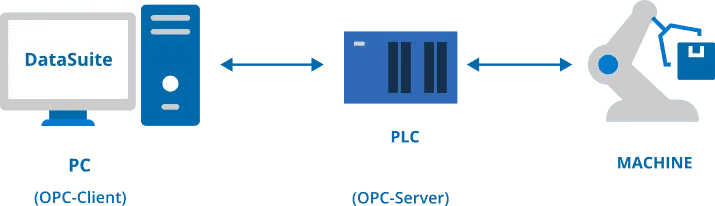
What is needed:
As you can see, you don’t need much to use the communication protocol. As a client, we use the DataSuite software. You can find a free 30-day trial version here: DataSuite trial
In the next step, you will learn how to configure it in TIA Portal.
Configuration in TIA Portal
To use the communication protocol with a Siemens S7 you have to configure it first. But this is very simple. Here you get it explained step by step.
For the communication, the PLC acts as OPC-UA server. You must first activate this in your controller. To be able to read and write variables with a client, you must first set up a server interface in the TIA Portal.
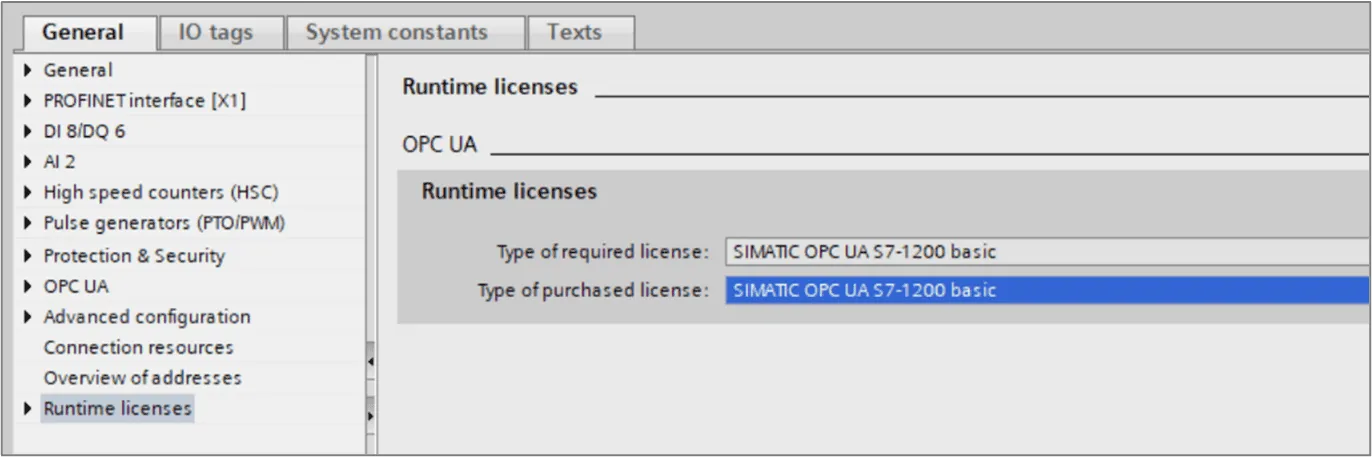
To activate the server of the PLC, a runtime licence from Siemens is required. The exact licence depends on your PLC. The upper field shows the required licence, while you select the respective licence in the lower field.
The communication with controllers of the type S7-1200 is different to the S7-1500 controllers. To be able to use variables, you must create corresponding server interfaces in the S7-1200 beforehand.
To establish an OPC-UA connection to your PLC, you have to configure some settings in the PLC.
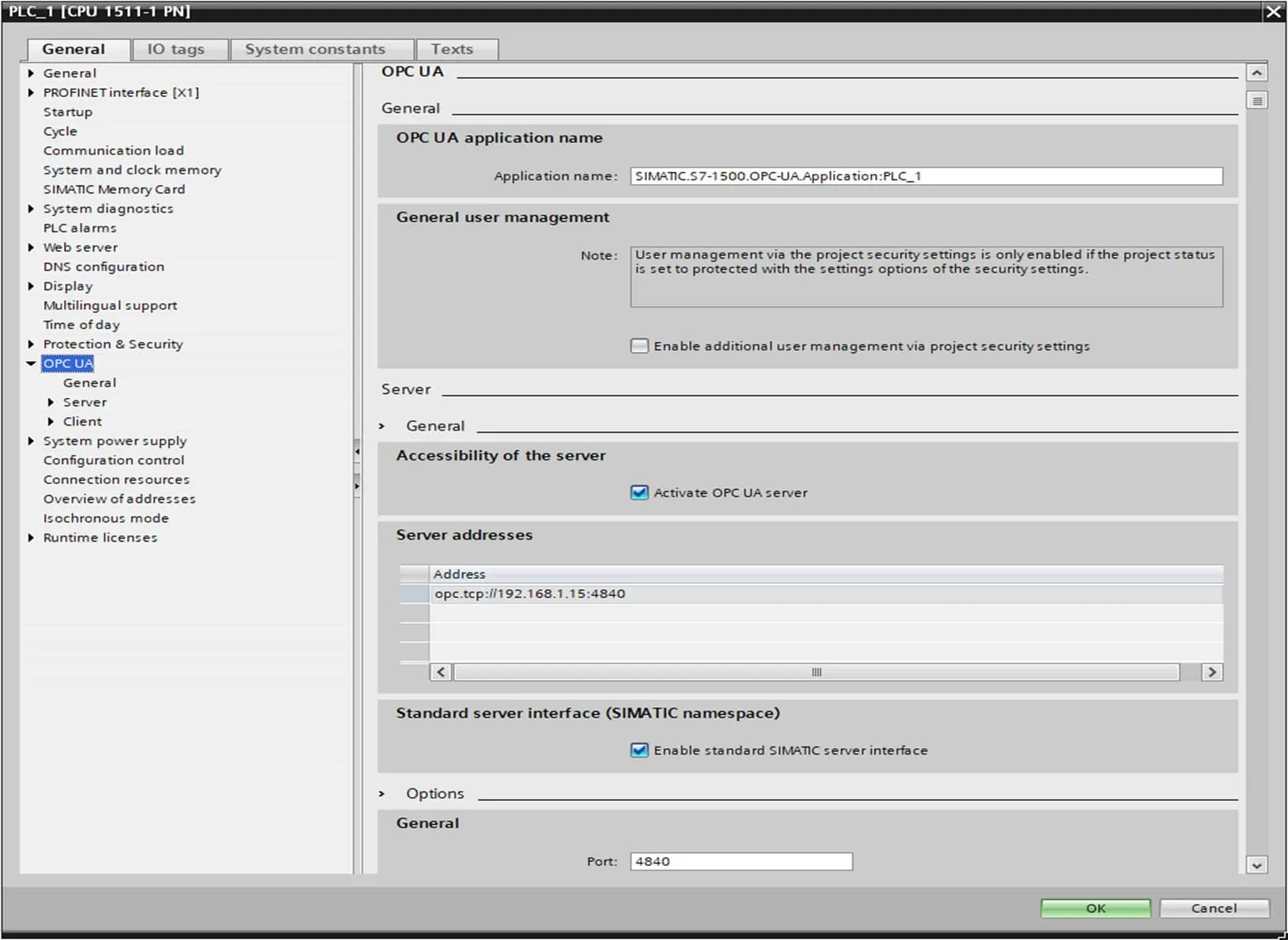
To do this, open the settings of the PLC and select the OPC UA option. There you can activate the OPC-UA server and the standard SIMATIC server interface. Below that you can change the port of the connection (default: 4840).
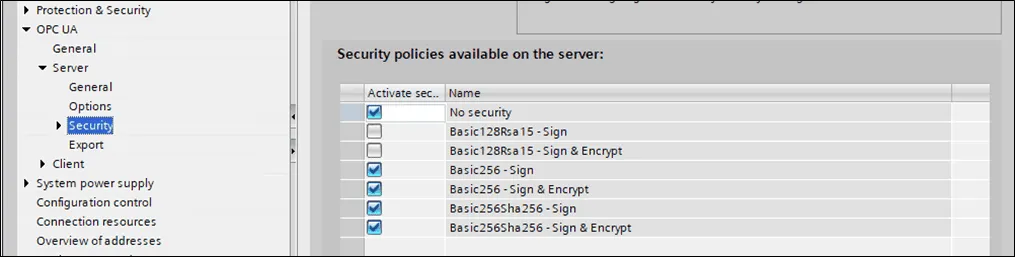
In the menu item Security you will find the endpoints offered by the PLC. These differ in the respective security settings. Deactivate the endpoints that are not required here. We recommend that you use a signed and encrypted connection.
Now your PLC should be ready for use as OPC server. In the next step we will explain how to configure the OPC-UA Client (DataSuite).
Configuration of DataSuite as OPC-UA Client
Now you need a PC or a virtual machine with DataSuite software installed. If you have activated the OPC-UA Server as described above, you can establish an OPC-UA connection to your S7 PLC using DataSuite.
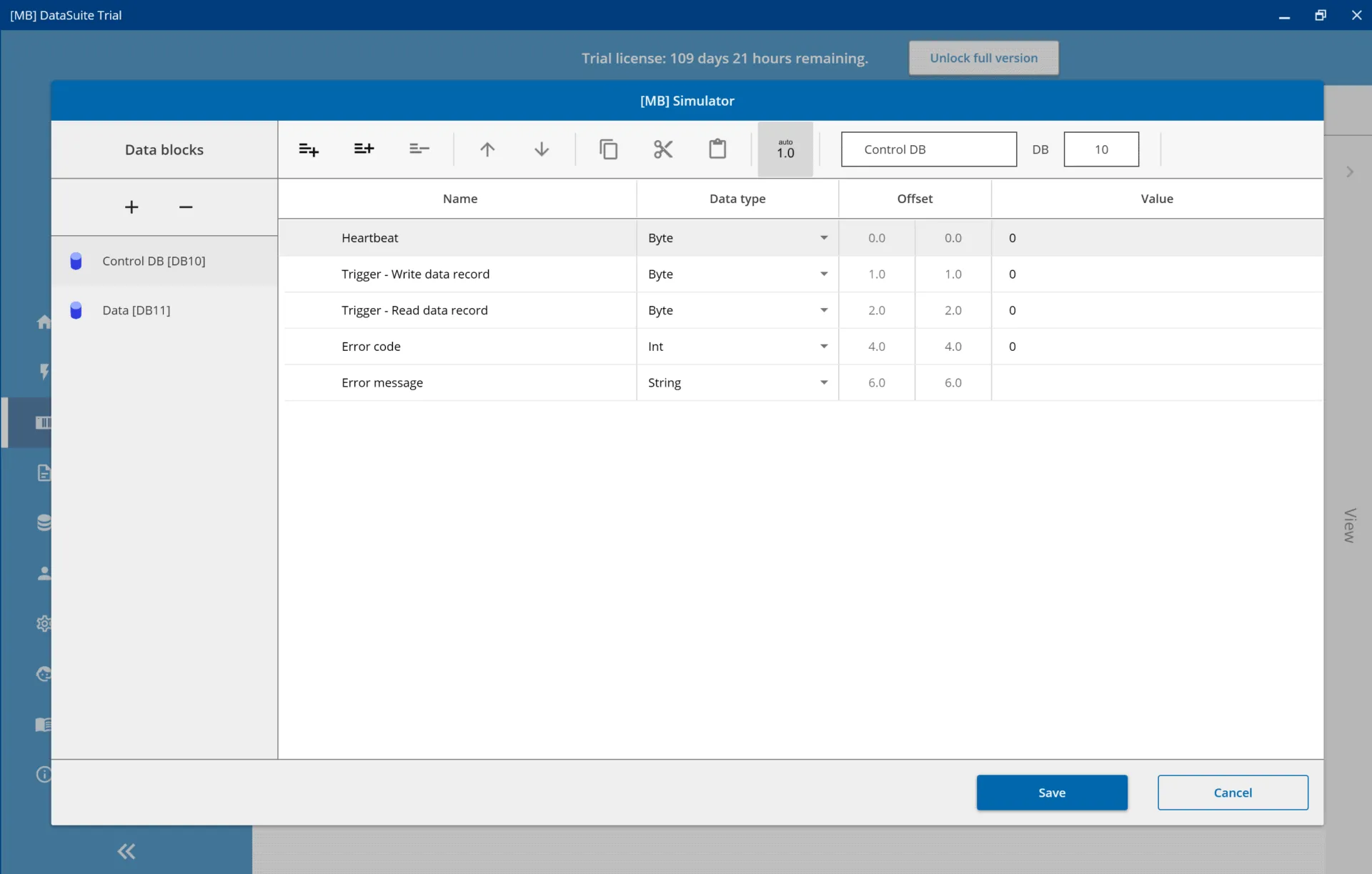
To create a new PLC connection in the software, select the “PLCs” item in the menu on the left. There you will find the [MB] simulator for testing, but in our case we want to set up a real PLC connection. Therefore please select “Create new PLC” and then choose the connection type “OPC-UA”.
After that you automatically reach the configuration of the OPC-UA connection. There you can select different security profiles and set a user name with password, which you have defined before in TIA.
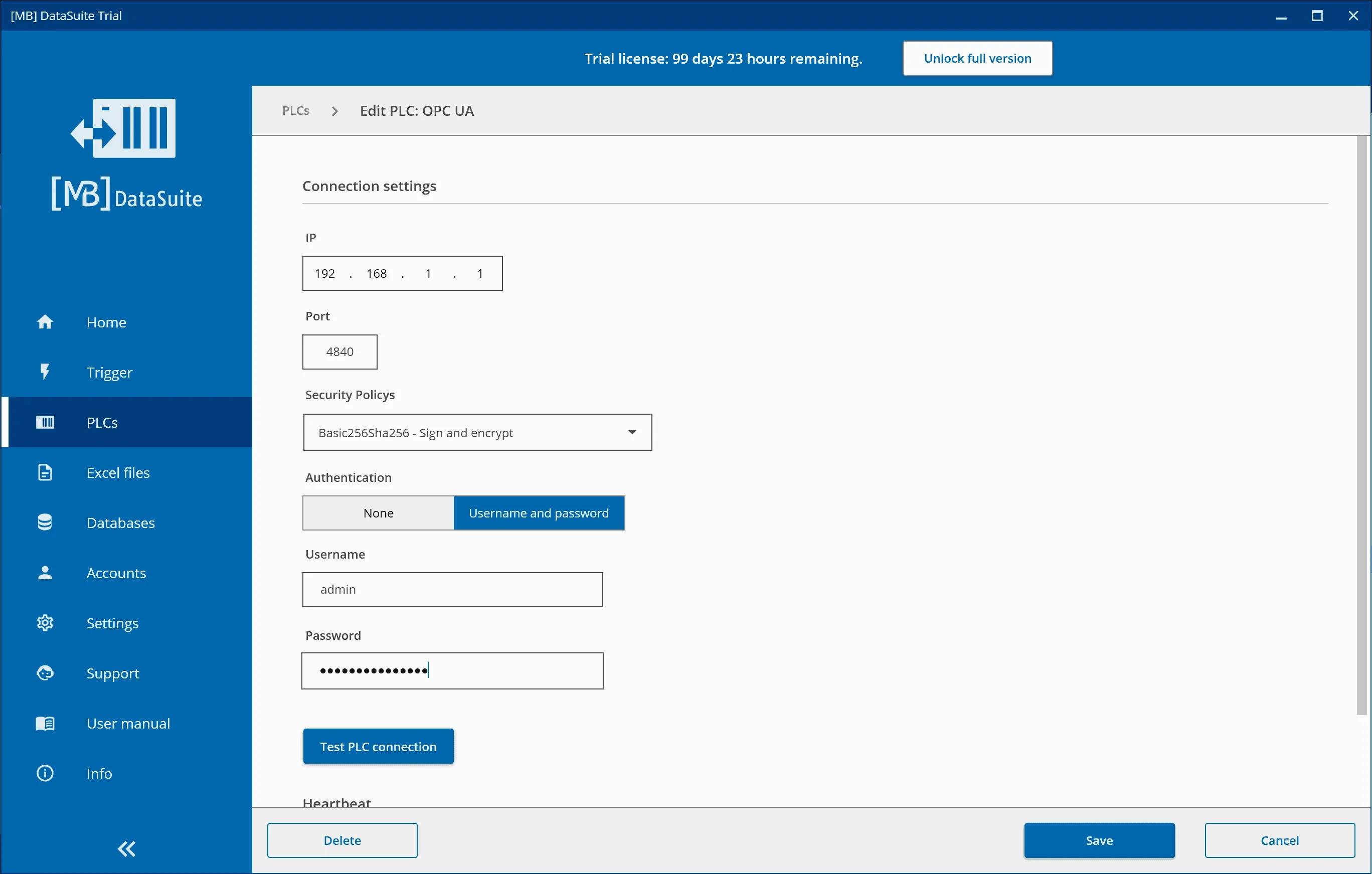
Now test the connection with the button provided for this purpose and then save. Now you can import variables and use them as you wish throughout the program.
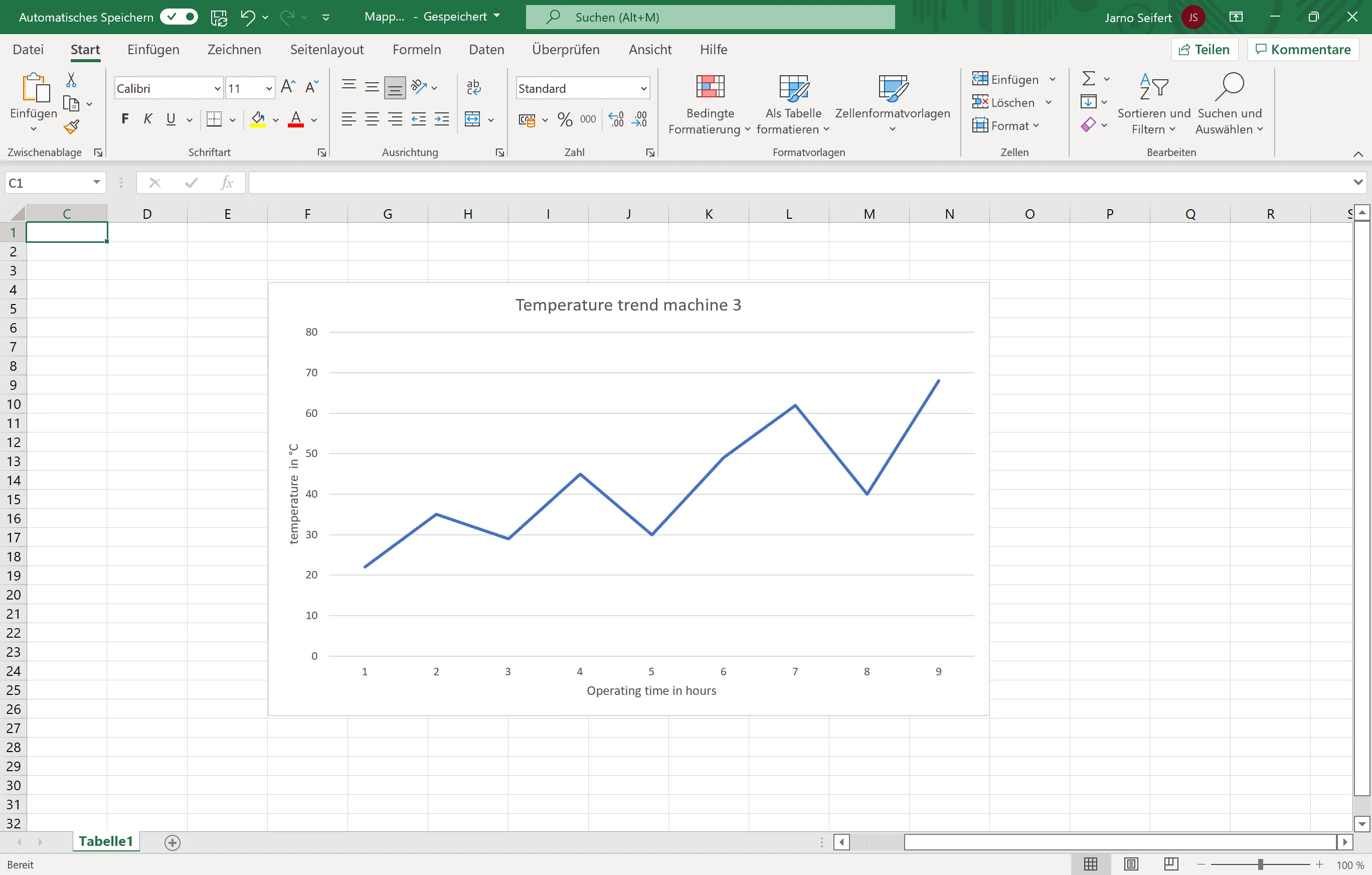
But what to do with the data or variables? In this example, we save them in an Excel file as a log. Please read our article “It works that easy: Writing Excel files with the Siemens S7” to see how you can easily use this OPC data for Excel files.
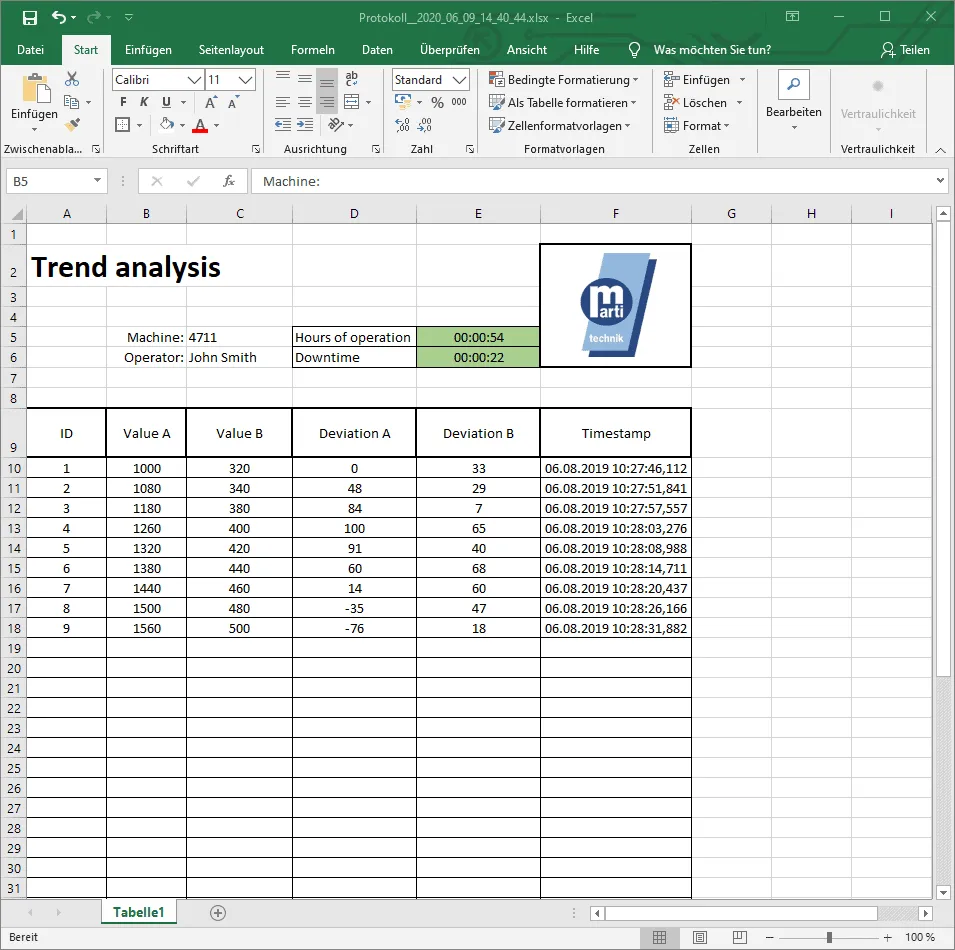
The result could look like this: A temperature curve in Excel via OPC-UA from a Siemens S7 PLC:
Much more information and setting options can be found in the DataSuite software manual, which is included in the download. There you can find detailed instructions with screenshots.
Further information and assistance free of charge from our support team:
Phone: +49 2742 72927 80
Email: support@mb-datasuite.com
Conclusion
Modern Siemens S7 controllers come with an integrated OPC-UA server. With the [MB] DataSuite software as OPC-UA client for Windows, you can connect your machines and plants via OPC-UA, evaluate and use data. Client and server form the basis for a future-proof, secure and reliable networking of your production.