Back up PLC data blocks automatically
In many plants, the data blocks of a PLC contain important operating values, counter readings or recipes. If a CPU fails or someone accidentally overwrites parameters, there is no basis for a restart without a backup. Regular, automatic backups are the precaution against this.
Why bother?
Good reasons to back up PLC data blocks
Although it is possible to back up data blocks, this is often neglected. If the controller fails or has to be replaced, a lot of important production data is lost and has to be laboriously entered into the PLC by hand.
Often it is not even possible to re-enter this data manually because it is not documented anywhere. Typical causes are a CPU defect, accidentally deleted recipe data or parameters that were overwritten during a change. In any case, prevention beats rework: with regular, automatic backups you always have a backup to restore from.

Comparison: critical consequences of not backing up the PLC data blocks vs. the ideal backup state
How you get to this ideal state without backing up every controller by hand is what we show you below.
Prevention
SPSDataBackup backs up your controllers automatically
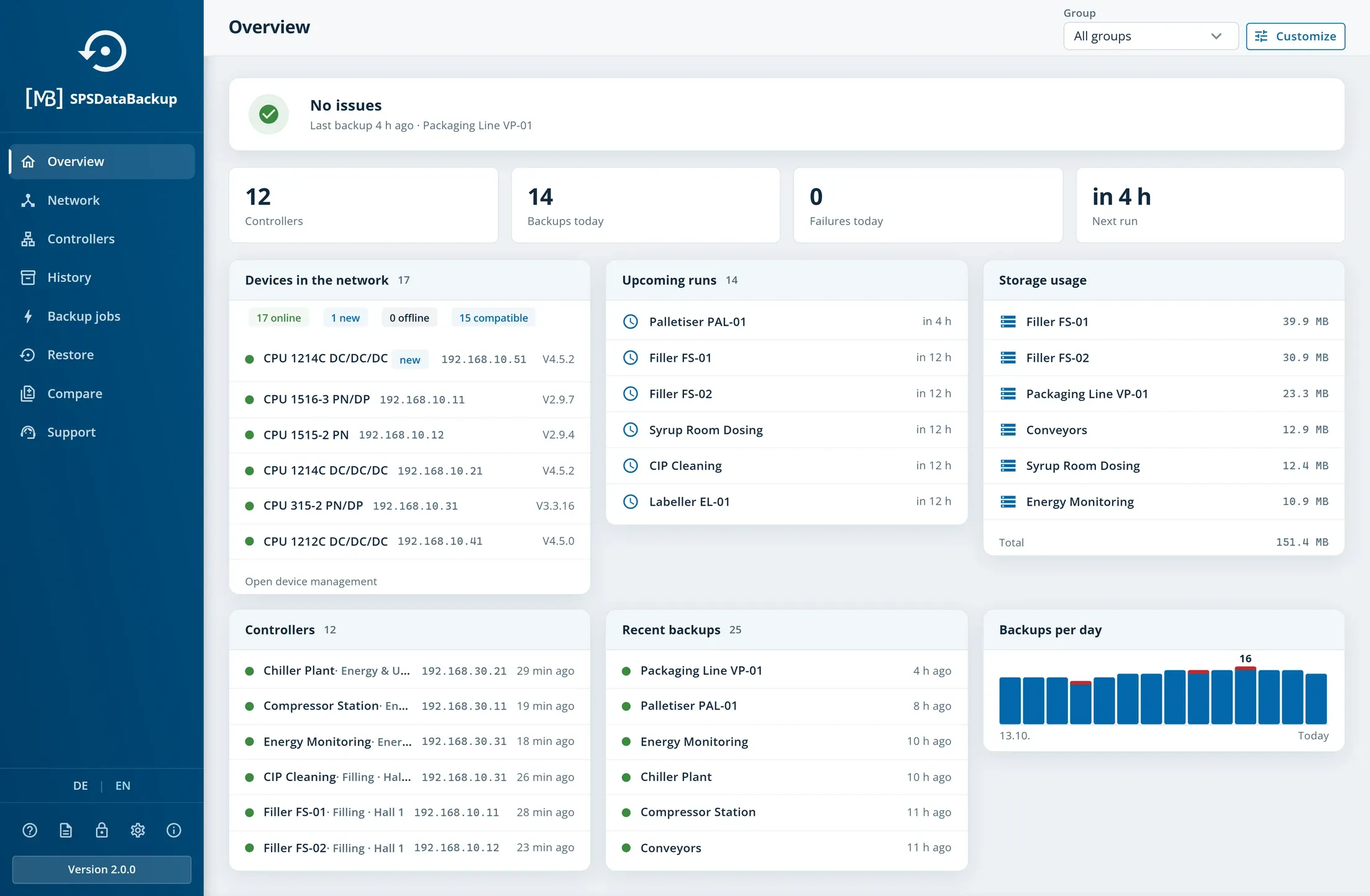
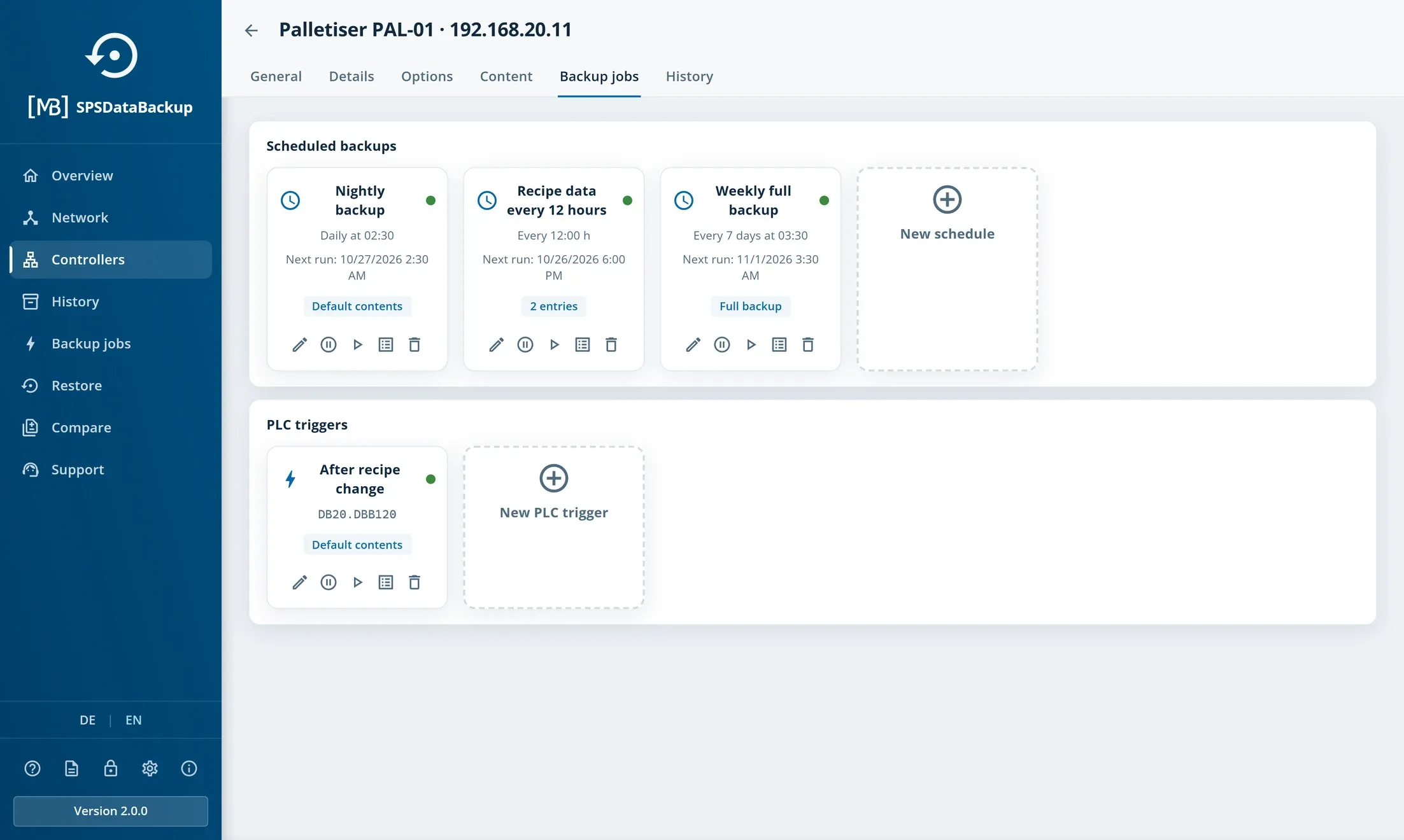
SPSDataBackup is our backup software for Siemens S7 controllers, currently in development and available to pre-order from PLC DataTools. It runs on a PC or server on your network, finds the controllers by network scan and backs up their contents automatically. Schedules and the selection of contents need no change to the PLC program; for the PLC trigger, the controller sets a signal in a data block.
You define per controller what gets backed up, depending on the controller type: data and system data blocks, program blocks (OB, FB, FC) and the flag memory. The backups are kept in a storage location that you choose yourself.
DataSuite remains your tool for machine data in Excel, PDF and databases. Backing up and restoring the controllers is handled by SPSDataBackup as a product of its own. How to back up values from the controller, such as counter readings and process data, as files on a regular basis is shown on Create automatic backups of machine data.
Technology
What SPSDataBackup supports and where the limits are
SPSDataBackup backs up S7-300 and S7-400 block by block, including individual program blocks (OB, FB, FC). Programs of S7-1200 and S7-1500 are backed up as a complete CPU image; whether that is possible depends on model and firmware. Targeted access to individual data blocks requires PUT/GET permissions and non-optimised data blocks on the controller. That is why we check CPU type, firmware and network connection of your plant before use.
The version comparison puts two backups side by side at byte and data level, for example the state before and after a software update. Changed, added and removed elements are visible at a glance. It is not a graphical comparison of TIA code, but you can see immediately which blocks have changed.
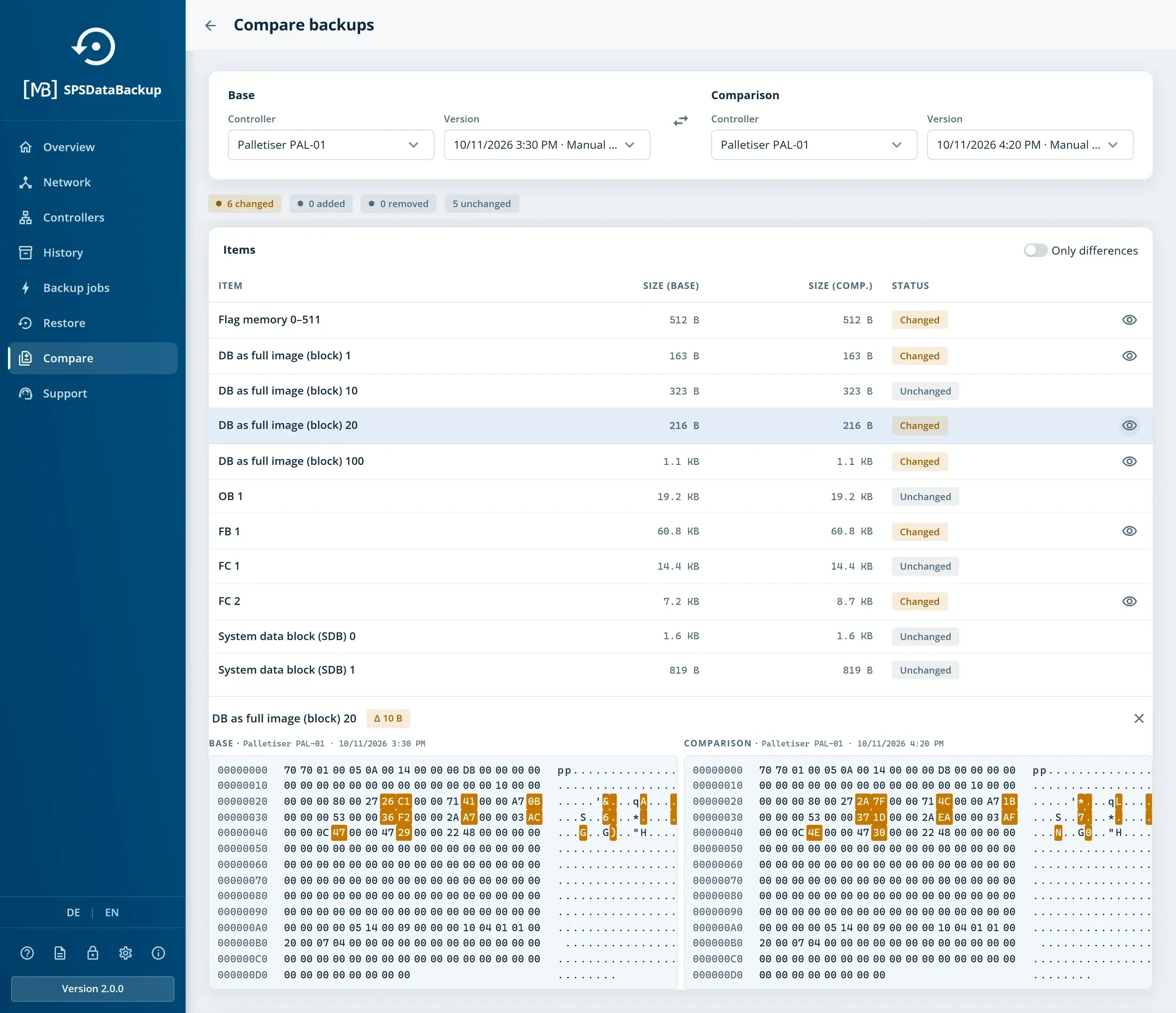
For the restore, a wizard guides you through controller, version, selection, confirmation and result in five steps. For program blocks it explicitly warns that the controller will be put into STOP.
What SPSDataBackup does not promise
Getting started
Two editions and a preview programme to start with
SPSDataBackup comes in two editions. Desktop is intended for individual machines and small lines and typically runs on its own PC at the line. Server bundles the backups of factory halls or entire sites, usually in a VM on a server, with access via the browser. Both editions can be extended with additional PLC connections. Current prices, the binding pre-order and the quotation request are on the SPSDataBackup product page.
Places in the free preview programme are limited: we review the fit for your plant and agree the evaluation setup with you directly. We also agree a delivery date with you personally; no fixed date has been announced yet.
Conclusion
A backup you hopefully never need
Automatic backups of the supported S7 controllers create the data basis for a restart after a CPU defect, after deleted recipe data or overwritten parameters. With SPSDataBackup you set this up once and let the software back up regularly; when needed, you compare versions and restore exactly what you need.
Do you have questions about your plant? On plc-datatools.com you can book a consultation or have the compatibility of your controllers checked in the preview programme.